UI/UX DESIGNER



45+ Happy Users
45+ Happy Users
Hi, I'm Esakki!
Hi, I'm Esakki!
UI/UX Designer
HTML5/CSS3 Mastery
Product Design
Branding
Collaborative Team Player
UI/UX Designer
HTML5/CSS3 Mastery
Product Design
Branding
Collaborative Team Player





About Me
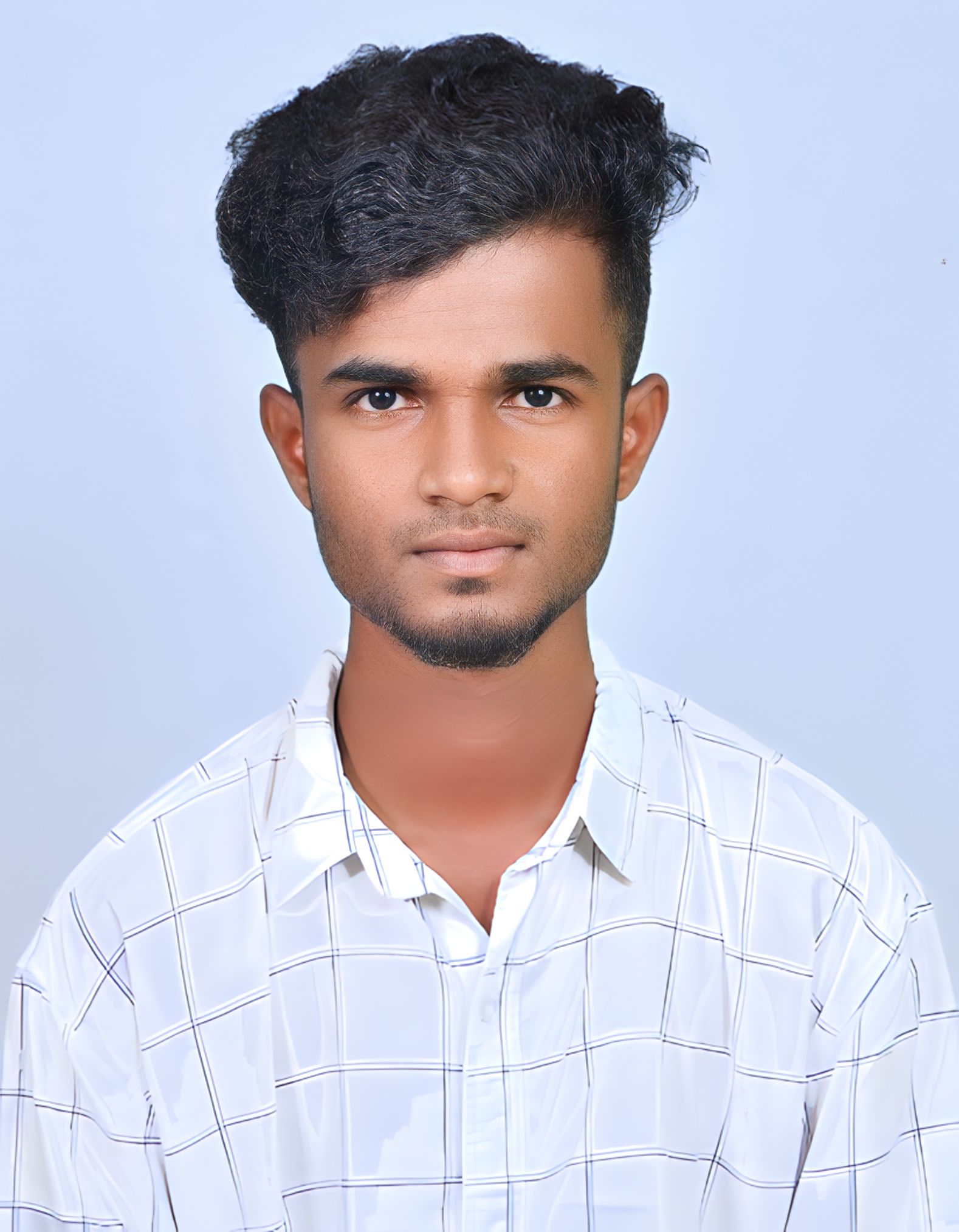
I’m a passionate UI/UX Designer who loves crafting simple, intuitive, and meaningful digital experiences. My design approach is driven by empathy and curiosity, allowing me to deeply understand user needs and translate them into clean, accessible, and engaging interfaces.
I’m a passionate UI/UX Designer who loves crafting simple, intuitive, and meaningful digital experiences. My design approach is driven by empathy and curiosity, allowing me to deeply understand user needs and translate them into clean, accessible, and engaging interfaces.
I’m a passionate UI/UX Designer who loves crafting simple, intuitive, and meaningful digital experiences. My design approach is driven by empathy and curiosity, allowing me to deeply understand user needs and translate them into clean, accessible, and engaging interfaces.
I love transforming complex ideas into clear and engaging user experiences through wireframing, prototyping, and visual design. Using tools like Figma, Adobe XD,Sketch, Miro, Illustrator, Framer and Photoshop, I focus on creating interfaces that are not only visually appealing but also intuitive and enjoyable to use.
I love transforming complex ideas into clear and engaging user experiences through wireframing, prototyping, and visual design. Using tools like Figma, Adobe XD,Sketch, Miro, Illustrator, Framer and Photoshop, I focus on creating interfaces that are not only visually appealing but also intuitive and enjoyable to use.
I love transforming complex ideas into clear and engaging user experiences through wireframing, prototyping, and visual design. Using tools like Figma, Adobe XD,Sketch, Miro, Illustrator, Framer and Photoshop, I focus on creating interfaces that are not only visually appealing but also intuitive and enjoyable to use.
I’m excited to collaborate on user-centric projects where I can learn, grow, and contribute fresh creative ideas within a passionate design team. I’m always eager to explore new challenges that help me refine my skills and create meaningful user experiences.
I’m excited to collaborate on user-centric projects where I can learn, grow, and contribute fresh creative ideas within a passionate design team. I’m always eager to explore new challenges that help me refine my skills and create meaningful user experiences.
I’m excited to collaborate on user-centric projects where I can learn, grow, and contribute fresh creative ideas within a passionate design team. I’m always eager to explore new challenges that help me refine my skills and create meaningful user experiences.
My Stack

Figma is my collaborative design platform of choice. I utilize it to work seamlessly with team members and clients, facilitating real-time feedback and design iterations. Its cloud-based approach streamlines the design process.
Figma
Figma is my collaborative design platform of choice. I utilize it to work seamlessly with team members and clients, facilitating real-time feedback and design iterations. Its cloud-based approach streamlines the design process.
Figma
Tap to flip
Figma is my collaborative design platform of choice. I utilize it to work seamlessly with team members and clients, facilitating real-time feedback and design iterations. Its cloud-based approach streamlines the design process.
Figma
Tap to flip
Miro is my go-to platform for collaborative brainstorming and ideation. I use it to create empathy maps, user journey flows, and wireframes, enabling smooth teamwork and real-time idea sharing. Its intuitive interface and infinite canvas make it ideal for visualizing complex design concepts.

Miro
Miro is my go-to platform for collaborative brainstorming and ideation. I use it to create empathy maps, user journey flows, and wireframes, enabling smooth teamwork and real-time idea sharing. Its intuitive interface and infinite canvas make it ideal for visualizing complex design concepts.
Miro
Tap to flip
Miro is my go-to platform for collaborative brainstorming and ideation. I use it to create empathy maps, user journey flows, and wireframes, enabling smooth teamwork and real-time idea sharing. Its intuitive interface and infinite canvas make it ideal for visualizing complex design concepts.
Miro
Tap to flip
Framer revolutionizes my web design workflow. It goes beyond a simple website builder, offering a visual playground where I can craft stunning and interactive websites without getting bogged down in complex code.
Framer
Framer revolutionizes my web design workflow. It goes beyond a simple website builder, offering a visual playground where I can craft stunning and interactive websites without getting bogged down in complex code.
Framer
Tap to flip
Framer revolutionizes my web design workflow. It goes beyond a simple website builder, offering a visual playground where I can craft stunning and interactive websites without getting bogged down in complex code.
Framer
Tap to flip
Adobe Illustrator is my preferred tool for creating precise and scalable vector graphics. I use it to design icons, logos, and detailed illustrations with a strong focus on clarity and visual balance. Its versatile tools and advanced features allow me to maintain consistency and creativity across all my design projects.

Illustrator
Adobe Illustrator is my preferred tool for creating precise and scalable vector graphics. I use it to design icons, logos, and detailed illustrations with a strong focus on clarity and visual balance. Its versatile tools and advanced features allow me to maintain consistency and creativity across all my design projects.
Illustrator
Tap to flip
Adobe Illustrator is my preferred tool for creating precise and scalable vector graphics. I use it to design icons, logos, and detailed illustrations with a strong focus on clarity and visual balance. Its versatile tools and advanced features allow me to maintain consistency and creativity across all my design projects.
Illustrator
Tap to flip
Adobe XD is my trusted platform for designing and prototyping user interfaces. I use it to create interactive wireframes and high-fidelity mockups, enabling efficient collaboration and testing of user flows. Its seamless integration with other Adobe tools allows for faster design iteration and a smooth workflow from concept to prototype.

Adobe XD
Adobe XD is my trusted platform for designing and prototyping user interfaces. I use it to create interactive wireframes and high-fidelity mockups, enabling efficient collaboration and testing of user flows. Its seamless integration with other Adobe tools allows for faster design iteration and a smooth workflow from concept to prototype.
Adobe XD
Tap to flip
Adobe XD is my trusted platform for designing and prototyping user interfaces. I use it to create interactive wireframes and high-fidelity mockups, enabling efficient collaboration and testing of user flows. Its seamless integration with other Adobe tools allows for faster design iteration and a smooth workflow from concept to prototype.
Adobe XD
Tap to flip
Adobe Photoshop is my essential tool for photo editing and visual design. I use it to enhance images, create UI assets, and craft visually engaging compositions. Its extensive tools for retouching, color correction, and layering help me achieve polished and professional design outcomes.

Photoshop
Adobe Photoshop is my essential tool for photo editing and visual design. I use it to enhance images, create UI assets, and craft visually engaging compositions. Its extensive tools for retouching, color correction, and layering help me achieve polished and professional design outcomes.
Photoshop
Tap to flip
Adobe Photoshop is my essential tool for photo editing and visual design. I use it to enhance images, create UI assets, and craft visually engaging compositions. Its extensive tools for retouching, color correction, and layering help me achieve polished and professional design outcomes.
Photoshop
Tap to flip
Slack is the cornerstone of my collaborative workflow. It fosters a dynamic environment where teams can seamlessly exchange ideas, share files, and provide real-time feedback.

Sketch
Slack is the cornerstone of my collaborative workflow. It fosters a dynamic environment where teams can seamlessly exchange ideas, share files, and provide real-time feedback.
Sketch
Tap to flip
Slack is the cornerstone of my collaborative workflow. It fosters a dynamic environment where teams can seamlessly exchange ideas, share files, and provide real-time feedback.
Sketch
Tap to flip
HTML5 is the backbone of my web design work. I use it to structure content, ensuring that websites are semantically meaningful and accessible. It forms the foundation upon which the visual elements of a site are built.
HTML
HTML5 is the backbone of my web design work. I use it to structure content, ensuring that websites are semantically meaningful and accessible. It forms the foundation upon which the visual elements of a site are built.
HTML
Tap to flip
HTML5 is the backbone of my web design work. I use it to structure content, ensuring that websites are semantically meaningful and accessible. It forms the foundation upon which the visual elements of a site are built.
HTML
Tap to flip
CSS3 is my styling and layout powerhouse. It's instrumental in creating visually appealing websites by controlling everything from fonts and colors to the responsive design that adapts to various screen sizes.
CSS
CSS3 is my styling and layout powerhouse. It's instrumental in creating visually appealing websites by controlling everything from fonts and colors to the responsive design that adapts to various screen sizes.
CSS
Tap to flip
CSS3 is my styling and layout powerhouse. It's instrumental in creating visually appealing websites by controlling everything from fonts and colors to the responsive design that adapts to various screen sizes.
CSS
Tap to flip
Projects
01
Accessibility Banking Application
01
Accessibility Banking Application
01
Accessibility Banking Application
01
Accessibility Banking Application
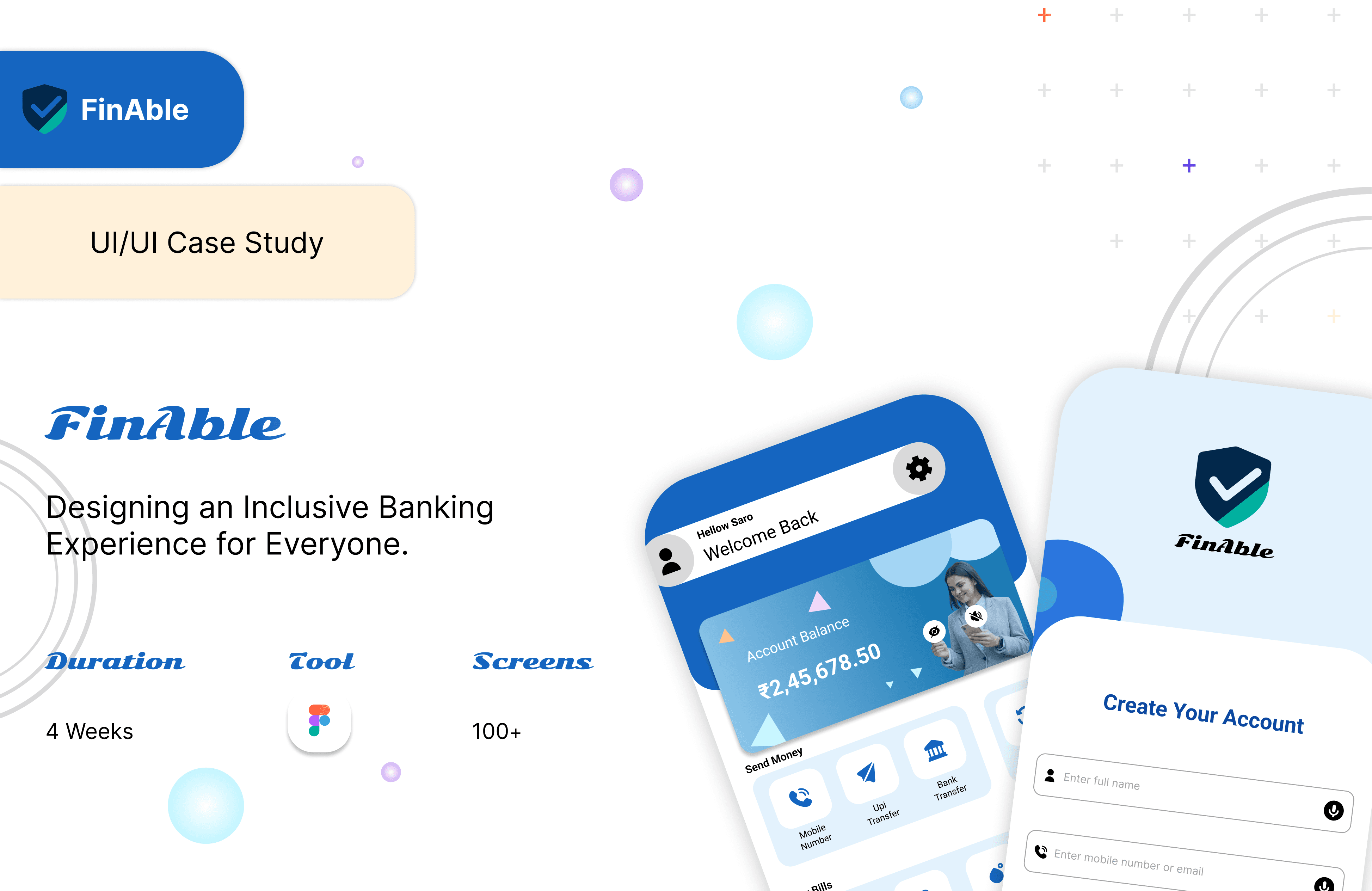
FinAble is an accessibility-focused mobile banking app I designed to make financial management effortless for all users, including those with visual, auditory, and motor impairments.
I led the user research and designed an inclusive interface in Figma, featuring voice navigation, high-contrast themes, and adaptive text sizes to ensure equal access for every user.
This project strengthened my belief that empathetic design isn’t just about usability—it’s about equality.
Tools: Figma · FigJam

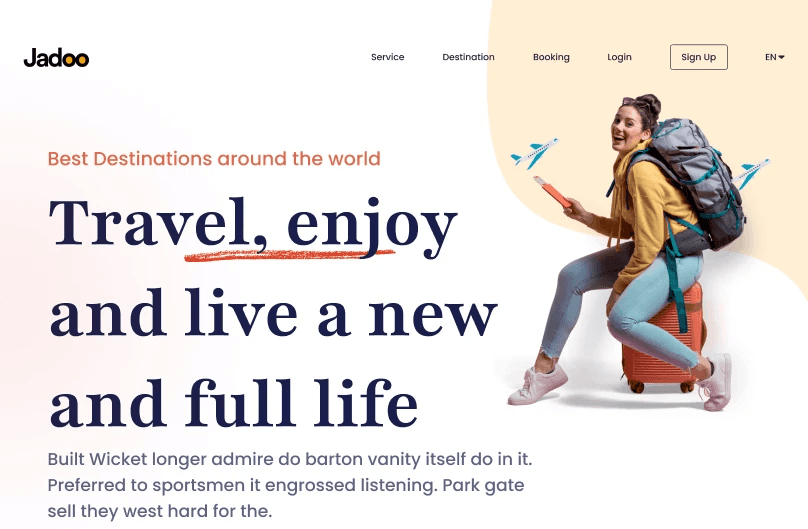
I redesigned the Jadoo travel landing page to create a more inspiring and welcoming first experience for users. My goal was to make travel feel exciting the moment someone lands on the page — through clean layouts, modern visuals, and intuitive design.
I refined the content flow and visual hierarchy to help users explore destinations easily while keeping the interface simple, emotional, and conversion-focused.
Tools: Figma